> For the complete documentation index, see [llms.txt](https://docs.loopit.co/llms.txt). Markdown versions of documentation pages are available by appending `.md` to page URLs; this page is available as [Markdown](https://docs.loopit.co/settings/integrations/telemax.md).
# Telemax
Loopit has a native integration with Telemax to enable rich insights and connectivity to your fleet.
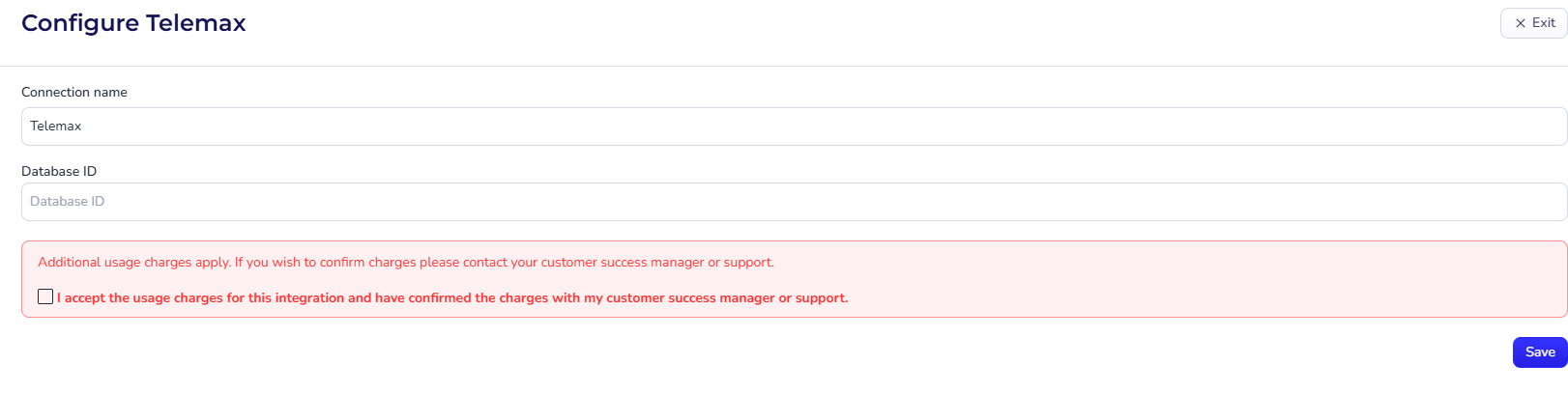
### How to connect Telemax
1. Navigate to Settings > Integrations.
2. Click setup on Telemax
3. Fill in the Database ID
{% hint style="info" %}
If you don't know your Database ID or can't find it, please contact and we'll setup the connection for you.
{% endhint %}
4. Press save
### Can I connect multiple Telemax databases?
Yes, you are able to connect an unlimited number of Telemax accounts and databases with Loopit. A [tracking device](/assets/tracking/tracking-devices.md) can belong to any connection within the workspace.