> For the complete documentation index, see [llms.txt](https://docs.loopit.co/llms.txt). Markdown versions of documentation pages are available by appending `.md` to page URLs; this page is available as [Markdown](https://docs.loopit.co/assets/removing-your-fleet.md).
# Removing your fleet
How to remove an asset from your fleet in Loopit
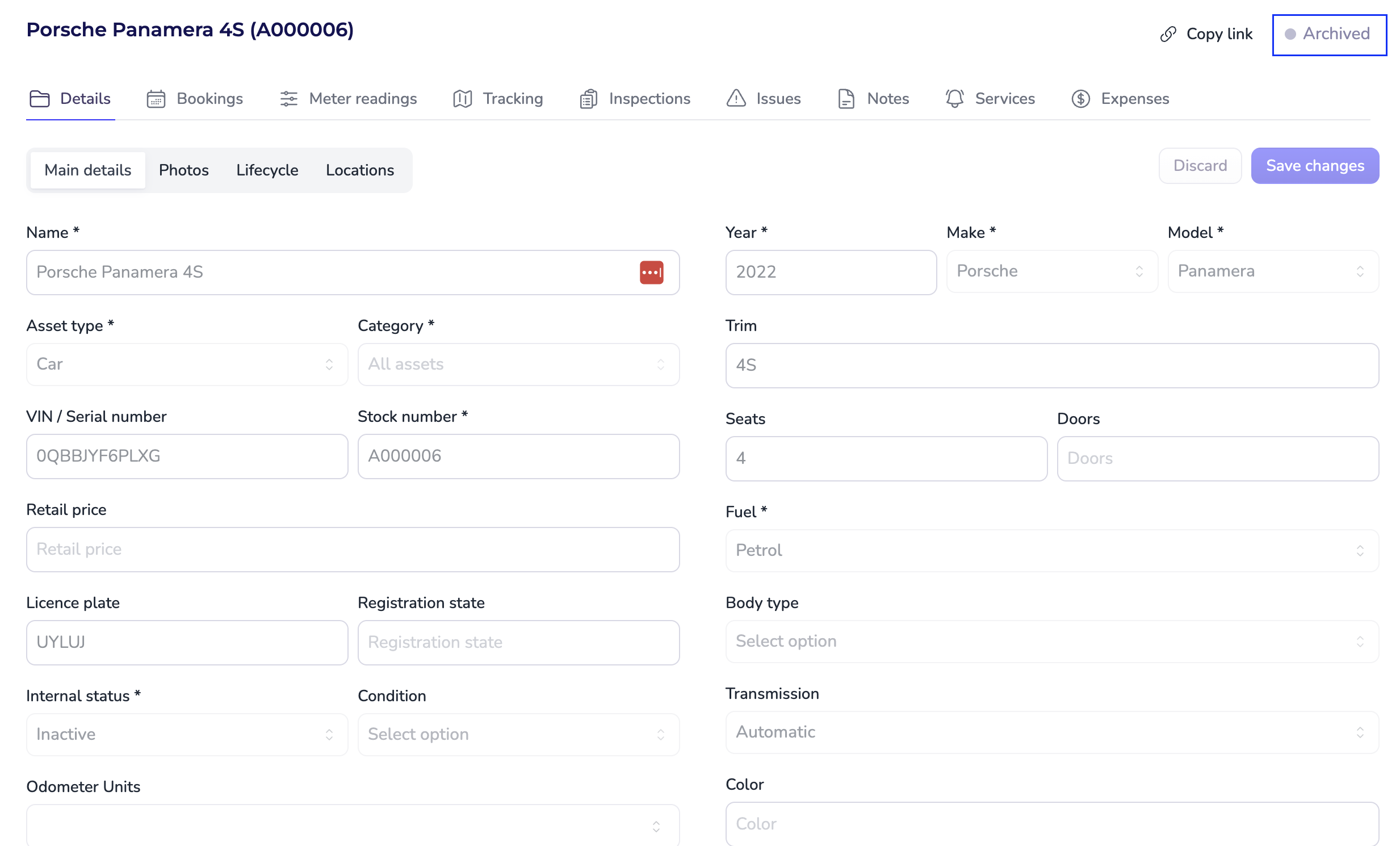
Once an asset has been associated with a booking in Loopit, it cannot be deleted from your account. This is because historical booking and financial records rely on that asset data to remain accurate and auditable.
If you no longer wish for an asset to be available for future bookings, you can **archive the asset or disable it from your active fleet.**
### Archiving an Asset vs Disabling Booking
| Feature / Behaviour | **Archive Asset** | **Disable Booking** |
| ----------------------- | -------------------------------------------------------------------------------------------------------------------------------- | --------------------------------------------------------------------------------------------- |
| **Purpose** | Permanently remove a sold or retired asset from the active fleet. | Temporarily prevent bookings for an asset that remains part of the fleet. |
| **How to Access** | From the **Actions › Archive** option in the asset menu. | Toggle **Booking Enabled** ↔ **Off** in the asset page. |
| **Fleet Visibility** | No longer visible in active or inactive fleet lists. Appears only under **Archived** status. | Still visible in the fleet but marked as **Unavailable for booking**. |
| **Bookings Constraint** | Cannot be archived if it has a **requested**, **confirmed**, or **active** booking — an error will appear if attempted. | Can be disabled at any time (even with past bookings). |
| **Data Retention** | All historical data (bookings, utilisation, billing) remains accessible for reference. | All data remains intact; only new bookings are prevented. |
| **Editability** | Asset becomes **read-only**; no further updates allowed. | Asset details can still be updated. |
| **Reporting Impact** | Excluded from **Fleet Utilisation**, **Performance**, and other active fleet reports — data is included up to the archived date. | Included in reports but marked as **Not Available** for new bookings. |
| **Export** | Archived assets can still be exported **if they appear in a filtered dataset**. | Fully exportable as part of the active fleet dataset. |
| **Billing (Loopit)** | If archived **mid-month**, still counts toward that month’s billing. | Asset will count towards billing if it was **enabled at any point** during the billing month. |
| **Reactivation** | Cannot be reactivated directly; must be duplicated or reinstated as a new asset record. | Can be re-enabled instantly by toggling booking back **On**. |
| **Example Use Case** | Asset sold or permanently removed from operations. | Asset undergoing maintenance or temporarily off-road. |
### How to archive an asset
To archive an asset from the available pool:
{% stepper %}
{% step %}
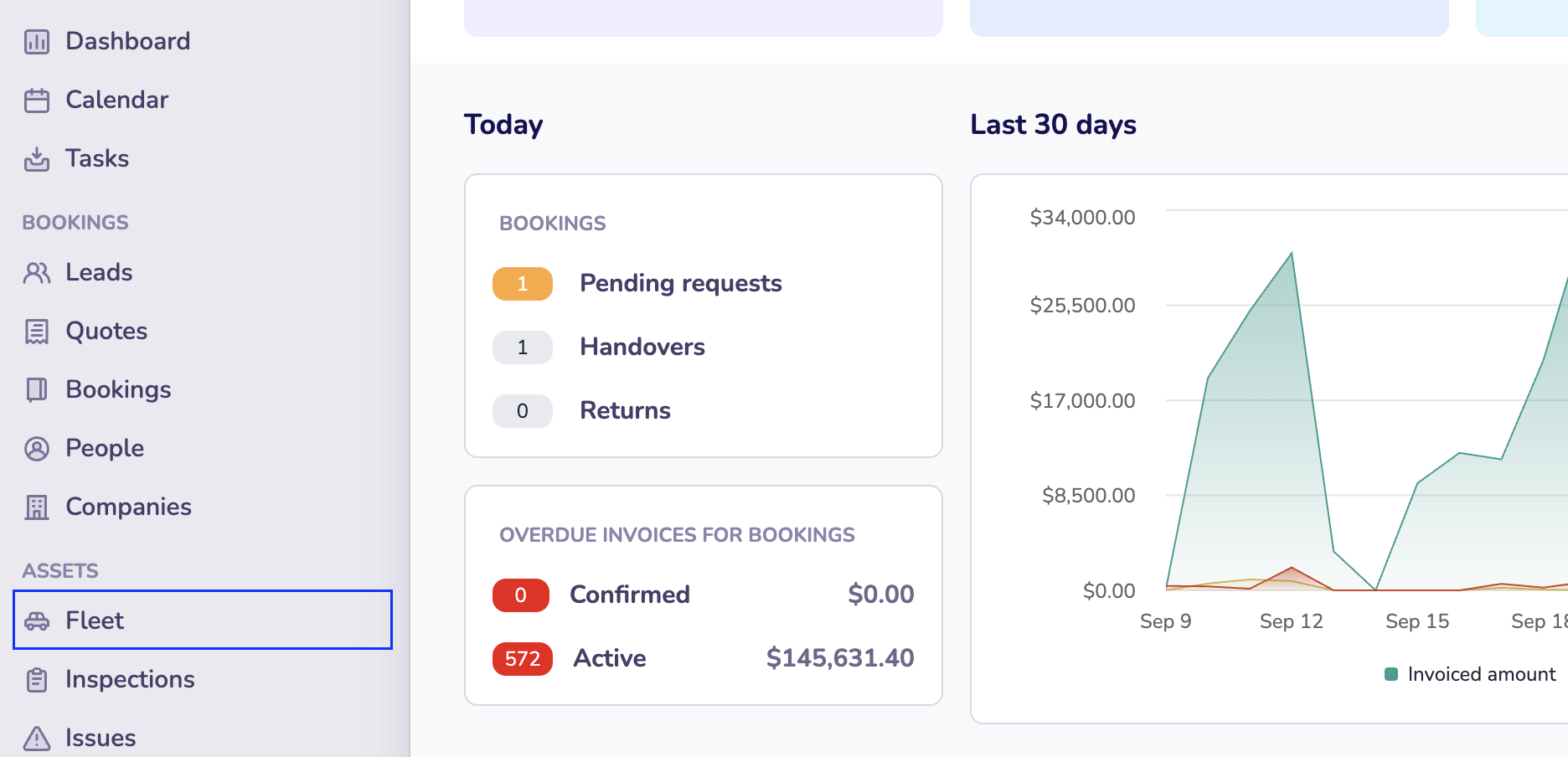
#### Go to the 'Fleet' page in your Loopit Dashboard
{% endstep %}
{% step %}
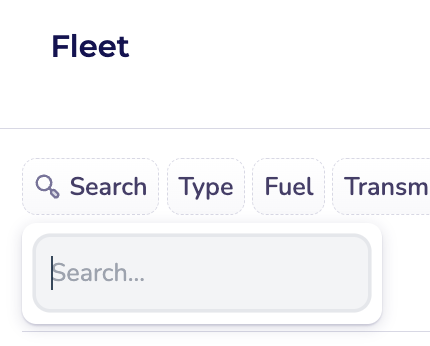
#### Locate the asset you wish to archive
You can use the 'Search' function for this:
{% endstep %}
{% step %}
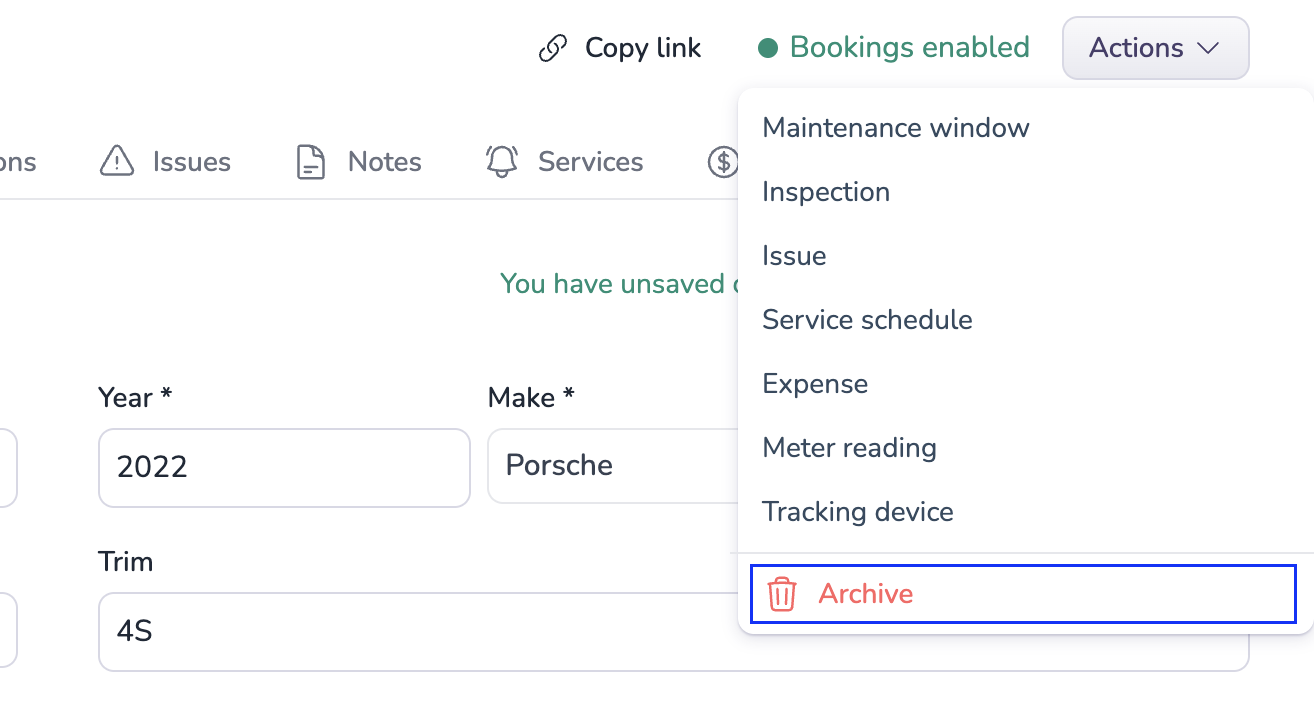
#### Click on Actions → Archive
{% endstep %}
{% step %}
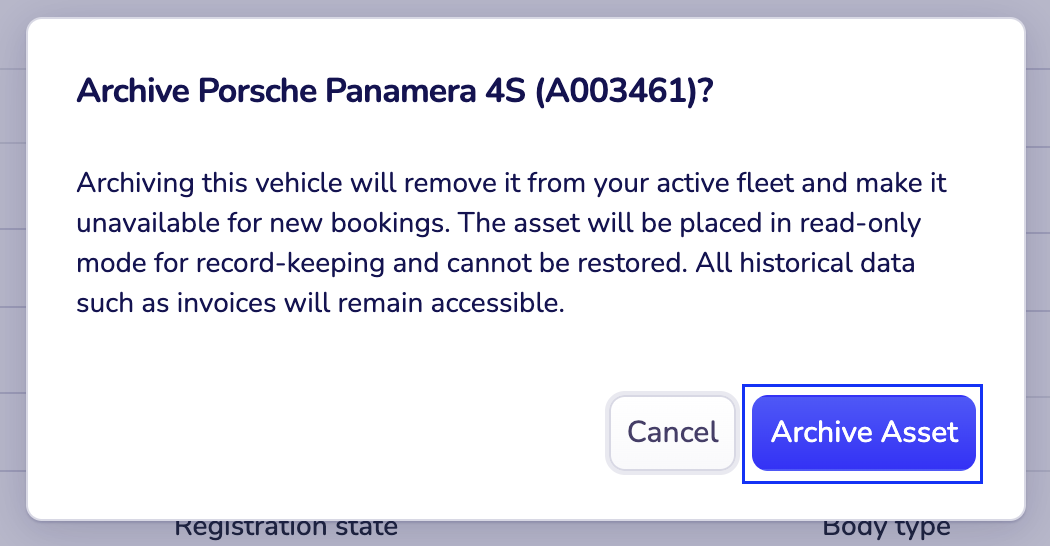
#### Click on "Archive Asset"
{% endstep %}
{% step %}
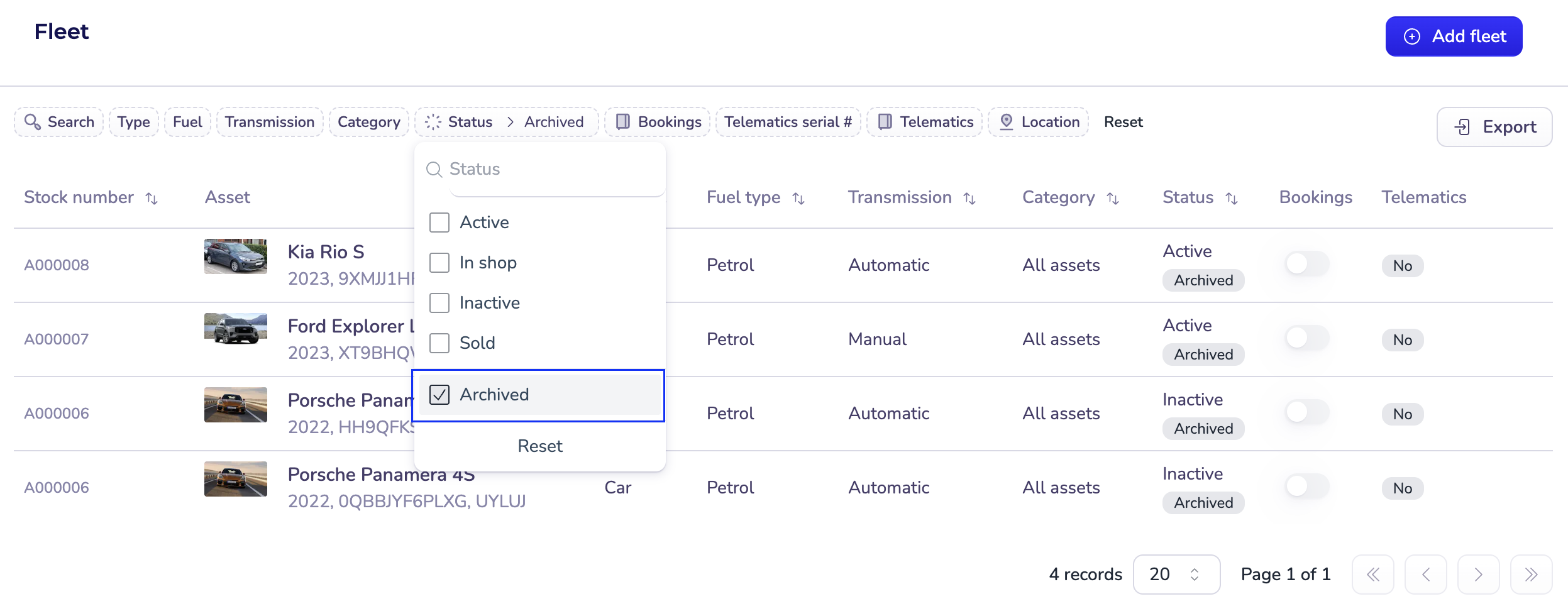
#### Use the **Archived** status filter to view all archived assets.
{% endstep %}
{% endstepper %}
### How to disable an asset from bookings
To remove an asset from the available pool:
{% stepper %}
{% step %}
#### Go to the 'Fleet' page in your Loopit Dashboard
{% endstep %}
{% step %}
#### Locate the asset you wish to remove
You can use the 'Search' function for this:
{% endstep %}
{% step %}
#### Turn 'Bookings' off
Turn the toggle under 'Bookings' off
You can turn this toggle off:
1. the main overview or on the overview page
2. or via the asset page itself!

{% endstep %}
{% endstepper %}
This will ensure the asset is no longer shown as available for subscription or rental while still preserving its history for reporting and compliance.
## Why can't I delete an asset?
Loopit maintains asset data for any asset that has ever been used in a booking to ensure the accuracy of historical reporting, invoicing, and audit trails. Deleting these assets would compromise data integrity.
## Need an asset permanently removed from your account?
If you have assets that were added in error and have **never been used in a booking**, we may be able to delete them for you. Please send a list of the relevant **VINs or Rego numbers** to your Customer Success Manager or support team. We’ll review and, where possible, arrange deletion through our engineering team.
{% hint style="info" %}
**Note**: Deleting assets is only available in specific scenarios. Assets with any booking history are not eligible for deletion.
{% endhint %}
For any other questions about managing your fleet, reach out to our team at